
Features
Everything you need to run a great retrospective — nothing you don’t.
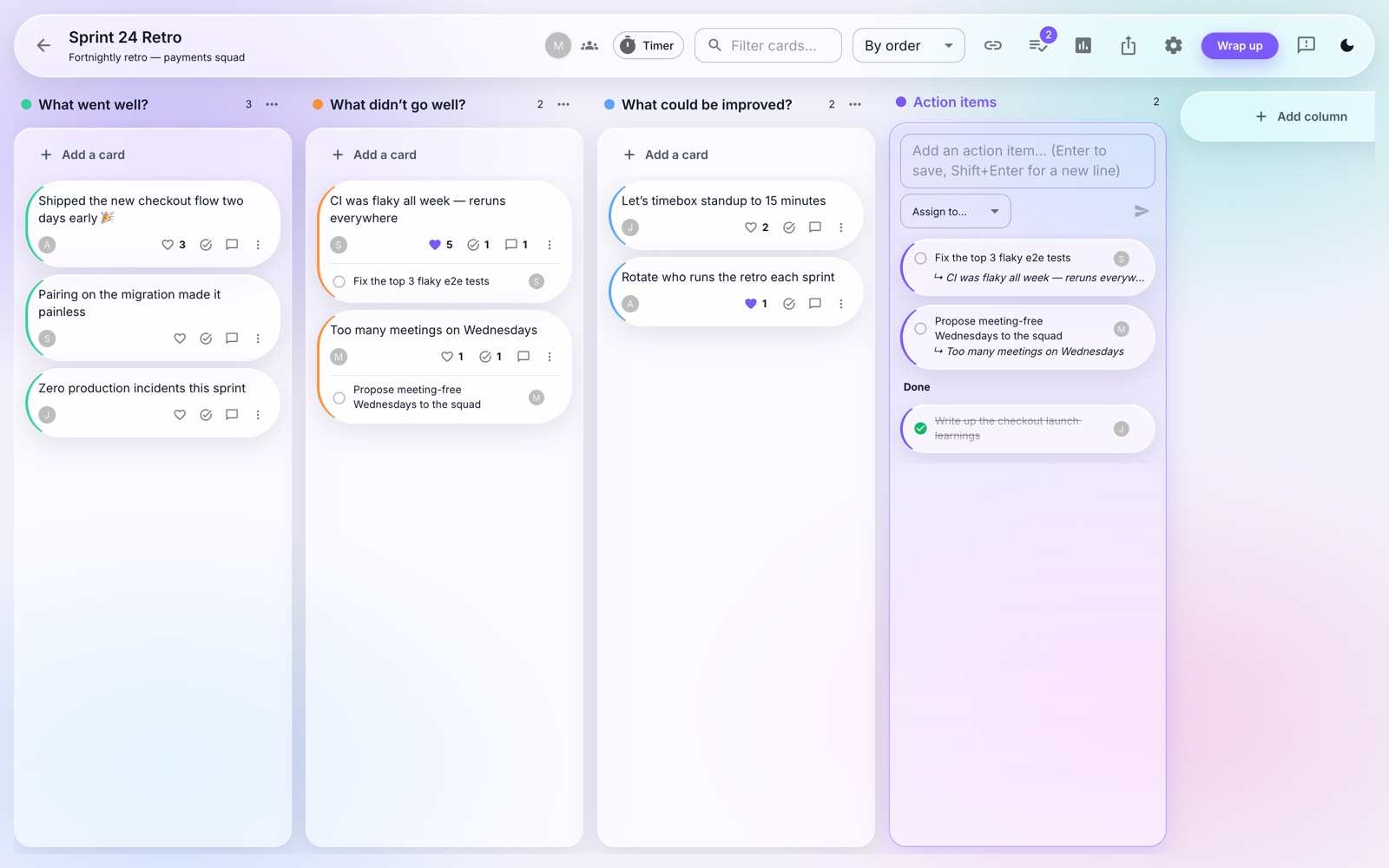
Boards
Create boards
Private or public boards from 20+ pre-built retro templates, or start blank.
Fully customizable
Board name and context, unlimited columns, rename them and pick any color.
Retro-to-retro flow
Complete a retro, then start the next one with open action items carried over.
Retro timer
Time-box phases with a shared countdown everyone sees.
Collaboration
Realtime everything
Cards, votes, comments and moves appear live for the whole team.
Teams
Create teams and invite unlimited people to collaborate on boards.
Presence
See who’s on the board with you, live.
Comments
Discuss any card in a threaded conversation.
Focus
Blind writing
Cards stay hidden until you reveal them — no anchoring on the loudest voice.
Presentation mode
Walk the team through cards one at a time; everyone’s screen follows.
Vote on cards
Dot-voting with an optional max number of votes per person.
Drag, drop & merge
Move cards between columns, reorder them, and merge duplicates.
Anonymous mode
Optionally hide card authors so ideas stand on their own.
Icebreakers
One-click opener questions that warm the room up before the real talk.
Insights
Retro analytics
Trends across every retro — cards, votes, contributors and action completion, plus your team’s retro cadence.
Action items hub
Every follow-up from every board in one place, filtered to what’s assigned to you. Tick things done without opening the board.
Summary pages
A shareable recap of any retro: stats, every column by votes, action items with owners.
Highlights & word cloud
Each summary calls out the most-voted and most-discussed cards — and a word cloud of what the retro was really about.
Beyond the retro
Action items
Capture follow-ups on any card, assign an owner, and track them in their own column.
Slack integration
Post retro summaries and action items straight to a Slack channel.
Confluence export
Turn any retro into a Confluence page in the space you choose.
Email summaries
Send the whole retro — columns, votes and action items — to every participant.
Surveys
Run quick surveys right on the board — ratings, choices or free text.
Export your board
Clipboard, CSV, Excel, PDF, Word and PNG exports built in.
Google sign-in
One-click SSO — no new passwords for your team.
Dark mode
A gorgeous liquid-glass UI in light and dark.
See it in action
Blind writing keeps input honest until the reveal, presentation mode walks the team through the results, analytics show whether it’s all working, and every retro ends with a shareable summary.
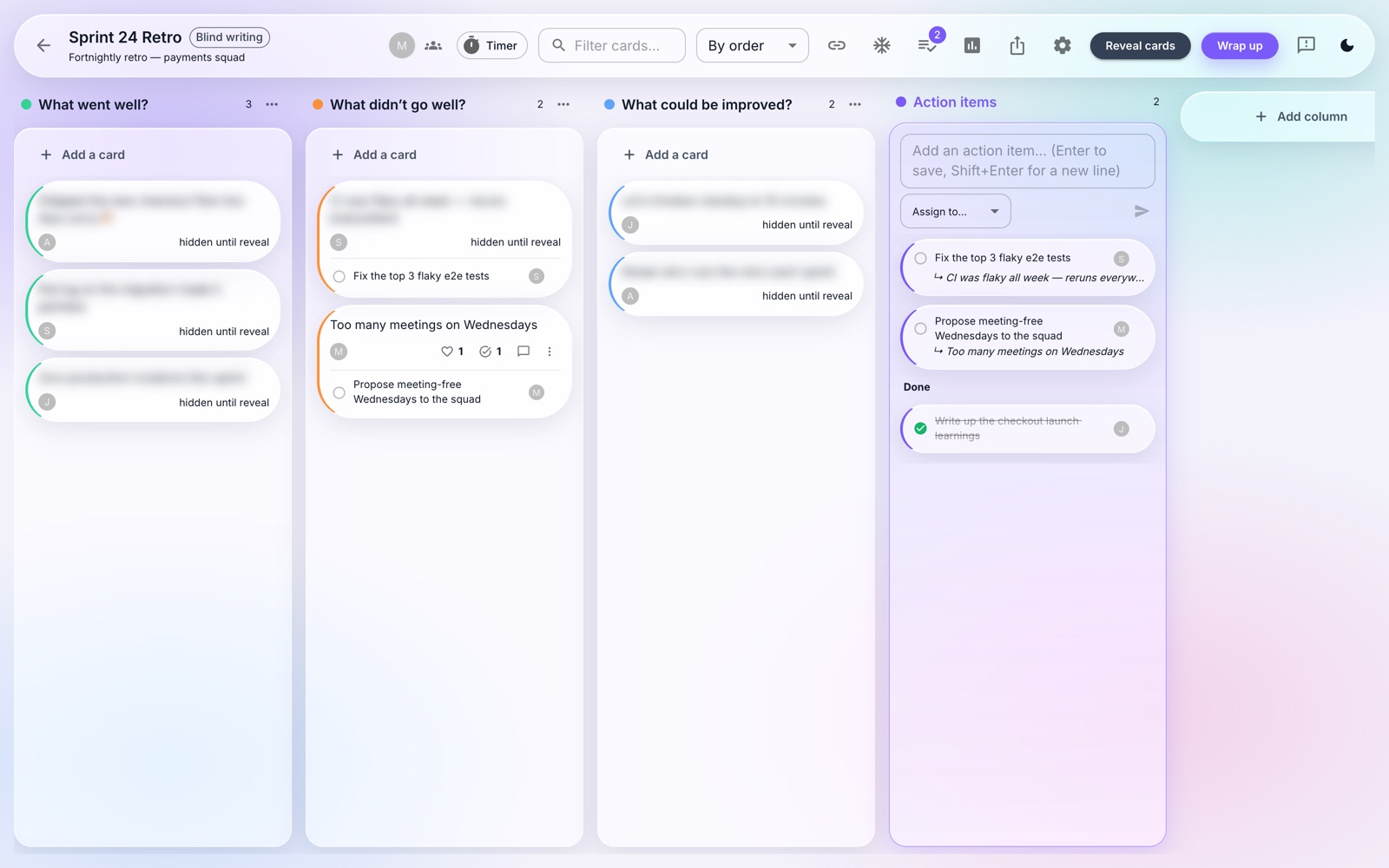 Blind writing — nobody anchors on the first card
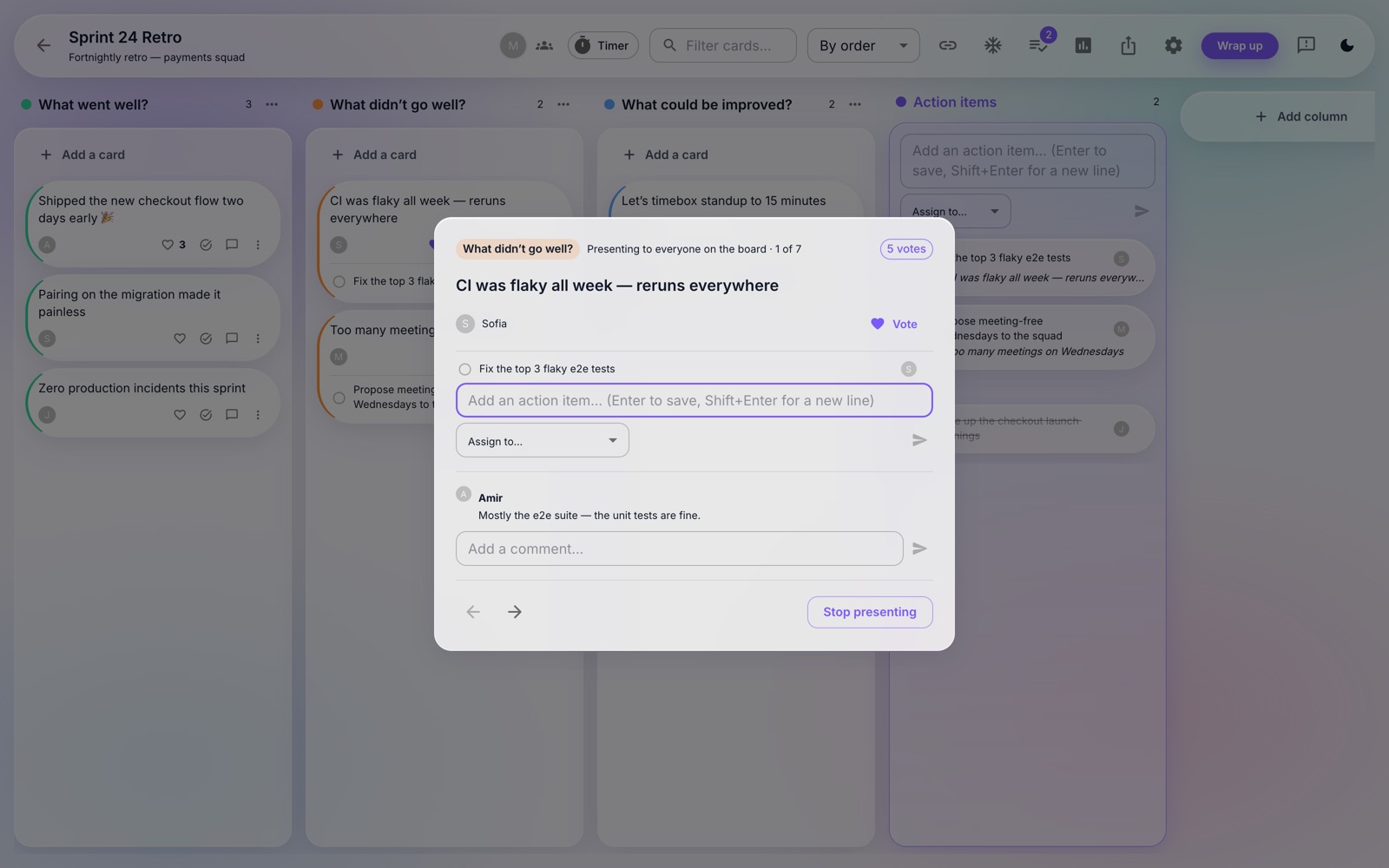 Presentation mode — discuss one card at a time, together
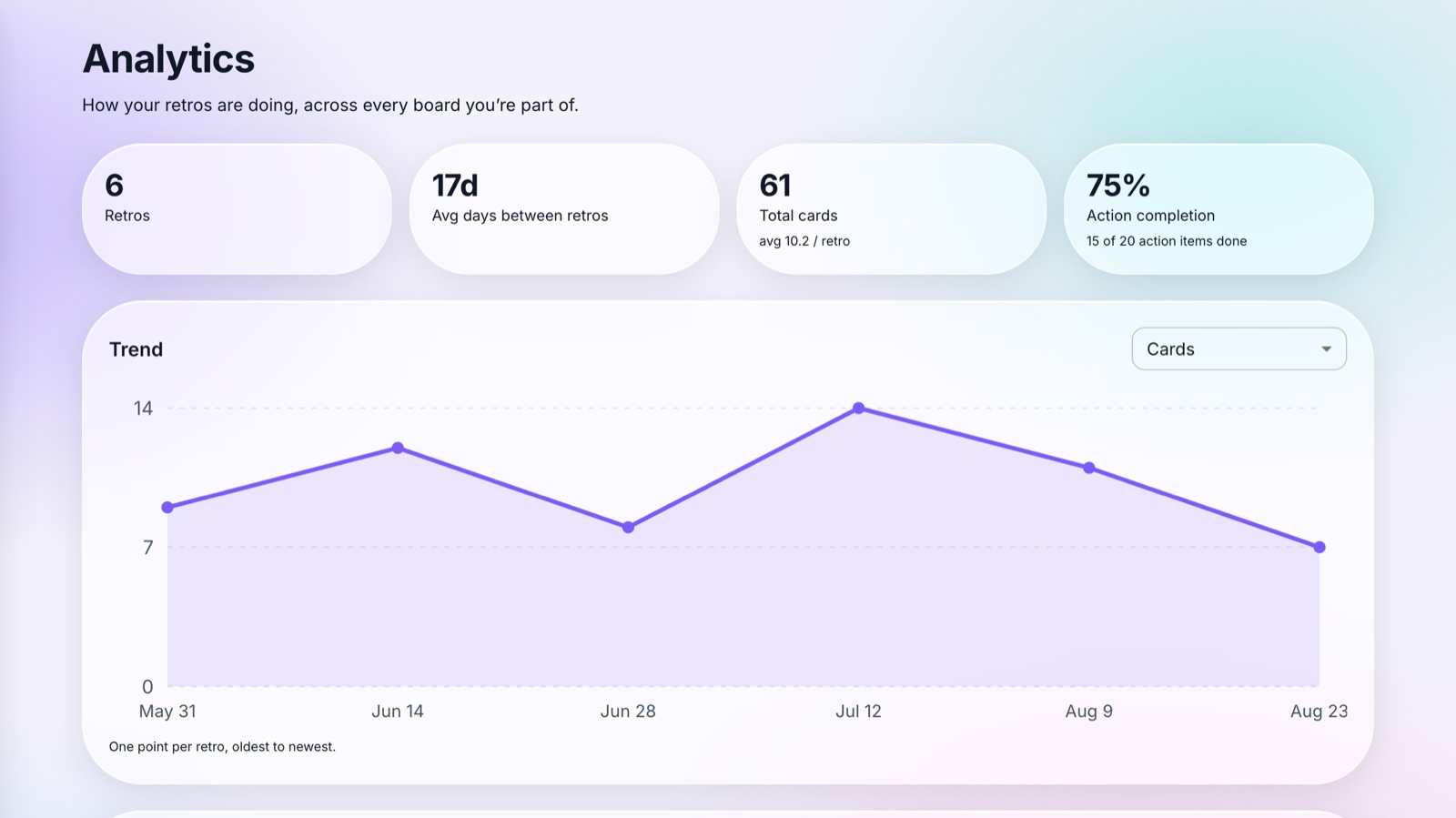 Analytics — trends, cadence, and action completion across retros
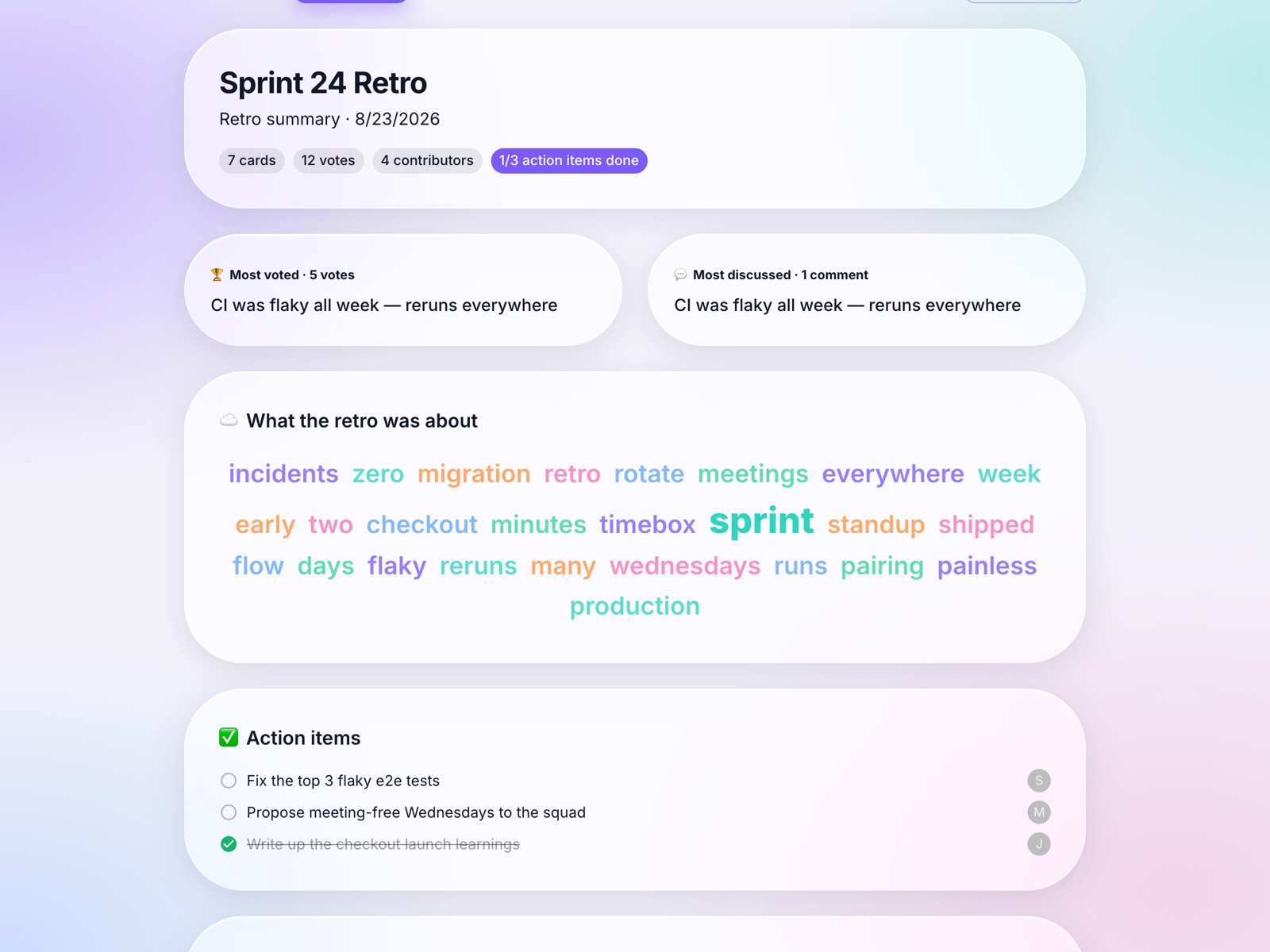 Summary pages — highlights, action items, and a word cloud