
Export retros to Confluence
Confluence is where teams keep their institutional memory — decisions, runbooks, sprint notes. For a lot of teams, if it isn’t on the wiki, it didn’t happen. Retros deserve to live there too: with Retroboard’s Confluence integration, any retrospective becomes a well-formatted Confluence page in one click, in exactly the space you choose.
Setup takes about two minutes with an Atlassian API token — self-service, no admin approval, works on every Confluence Cloud plan.
Jump to setup ↓What the page contains
Retrospective summary
Date, cards, votes, contributors — and a link back to the live board for anyone who wants the full context.
Action items with owners
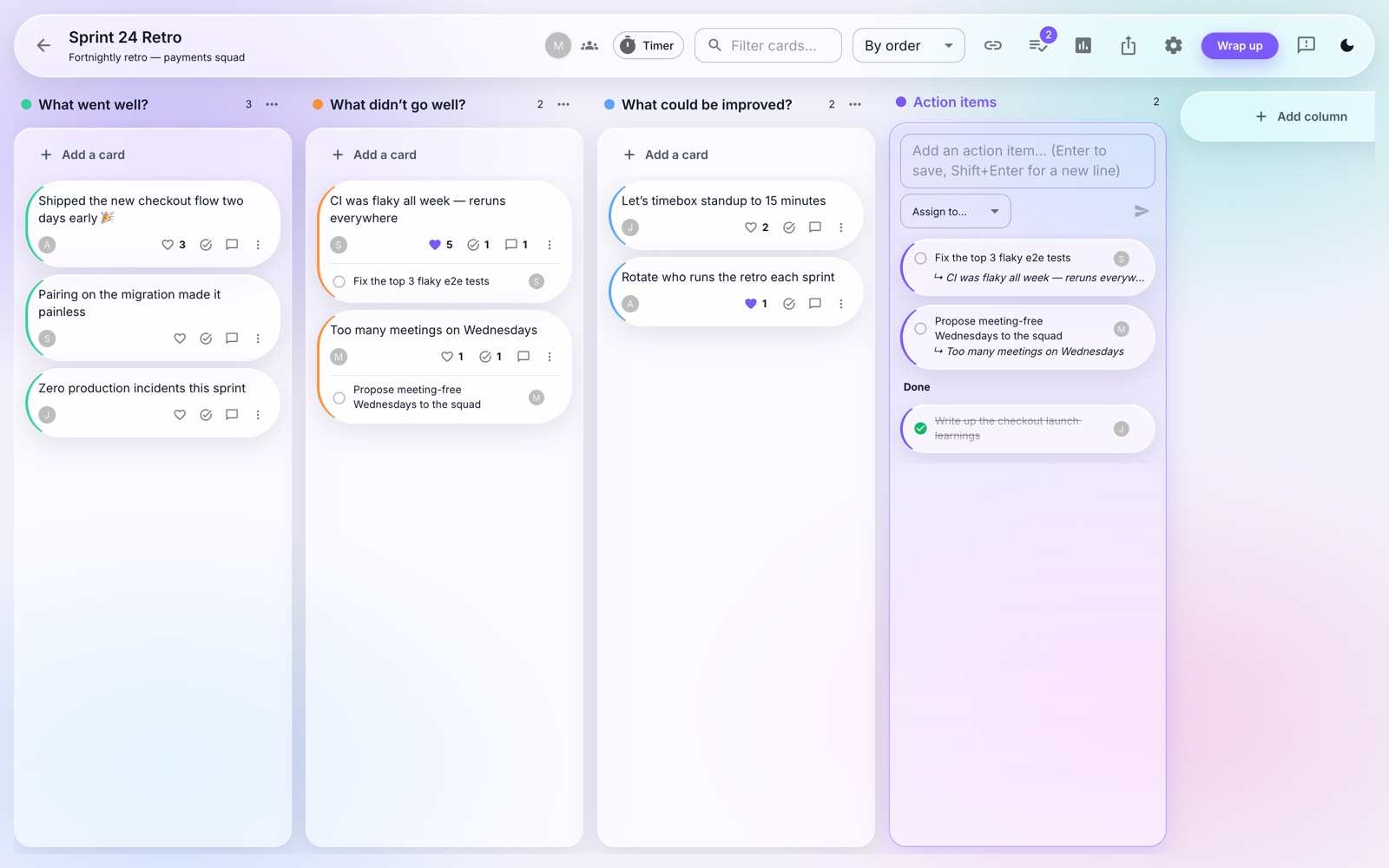
Every follow-up with its assignee and completion state, so the wiki records who owns what.
The full board, as a table
Every column side by side with its cards sorted by votes, including authors and comments — meeting minutes that wrote themselves.
The exported page carries everything from the board — here’s the kind of retro it captures:
Set it up in two minutes
Create an Atlassian API token
Go to id.atlassian.com → Security → “Create API token”. Name it anything (e.g. “Retroboard”) and copy the token — treat it like a password. This works on every Confluence Cloud plan and needs no admin approval.
Connect Retroboard
In Retroboard, open Integrations from the sidebar and find the Confluence card. Enter your site (yourcompany.atlassian.net), the email of your Atlassian account, and paste the token. We validate the connection immediately — you’ll see how many spaces are visible.
Export any retro
On a board, open the Export menu (or the wrap-up dialog) and choose “Confluence page”. Pick which space the page should be created in — that’s how you control where it’s saved — and click Create page.
Open the page
You get a direct link to the new page: a retrospective summary, the action items with their owners, and a table of every column’s cards with votes and comments. Perfect for teams whose documentation lives in Confluence.
Frequently asked
Which Confluence does this work with?
Confluence Cloud (any *.atlassian.net site), on every plan including free. Self-hosted Data Center isn’t supported yet.
How do I control where pages are saved?
You pick the space at export time — the dialog lists every space your Atlassian account can see, and the page is created there, titled with the board name and date.
Is the connection per team or per user?
Per user: you connect your own Atlassian account, and exports run with your permissions. Teammates who want to export connect their own.
Is my API token safe?
It’s validated when you connect, stored server-side, and never sent back to the browser. You can revoke it anytime at id.atlassian.com and disconnect in Retroboard with one click.
Do I need my Confluence admin?
No. API tokens are self-service for every Atlassian account — no app installs or admin approval.
Your retros, where your docs live
Into Slack too? Retroboard posts retro summaries straight to your channel — see the Slack integration. Jira and Trello are next on the roadmap.
Connect Confluence